Free Online Whiteboard Integrated with Video Meetings
Collaborate visually with Hehllo's free online whiteboard, built directly into unlimited video meetings.
Perfect for brainstorming, teaching, and remote collaboration.
 Start A Meeting For Free
Why Use a Whiteboard Inside Your Video Meeting?
Some ideas are too complex for just talk. When you're explaining a math problem, sketching a wireframe, or mapping a workflow, words alone aren't enough. That's why Hehllo built an interactive whiteboard directly into every video meeting.
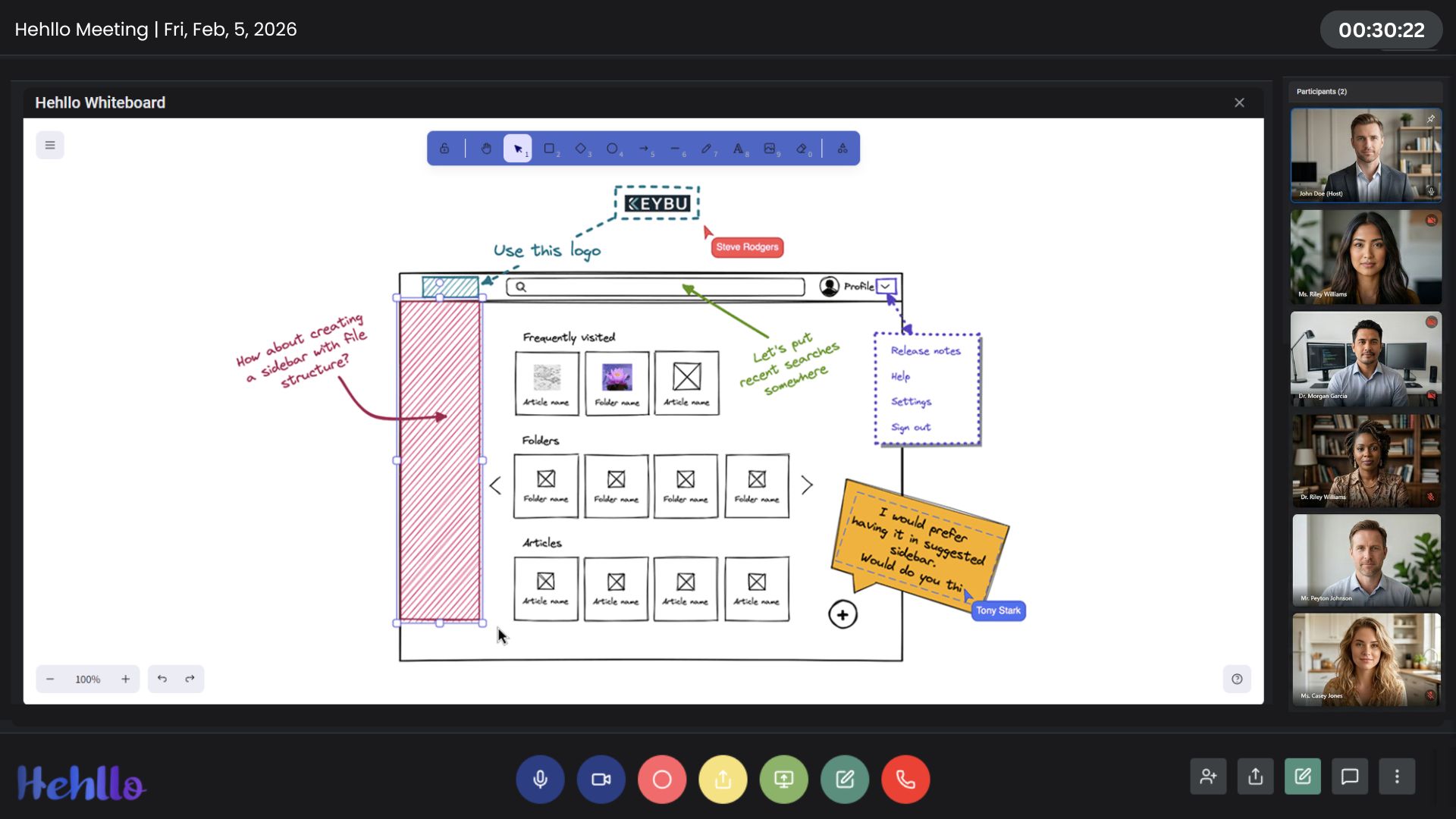
Unlike standalone whiteboard apps, Hehllo's whiteboard lives inside the same window as your call. No tab switching. No screen share gymnastics. Everyone in the meeting can see, draw, and annotate in real time — whether they're on desktop, tablet, or mobile.
Whether you're an educator walking a class through a geometry problem, a designer reviewing wireframes with a client, or a product team sketching a user flow, Hehllo's whiteboard keeps everyone on the same page — literally.
What You Get with Hehllo's Whiteboard
- Advanced Toolkit: Shapes, images, text boxes, diverse brush sizes, and color palettes for professional diagrams.
- Multi-User Collaboration: Multiple participants can draw and annotate at the same time.
- Save Your Work: Take a snapshot of your whiteboard to save it as an image for later reference.
- Zero Setup: The whiteboard opens instantly in every meeting—no add-ons or plugins.
- Works on Mobile: Touch-friendly controls on phones and tablets.
Try the Whiteboard Now
Who Uses Hehllo's Online Whiteboard?
Educators & Tutors
Solve equations, sketch diagrams, and annotate reading materials in real time. Students can participate directly on the board, making lessons more interactive. Pair with file sharing to distribute worksheets and assignments.
Designers & Product Teams
Review wireframes, sketch UI flows, and annotate designs with stakeholders—all inside the same call where you're discussing them. No more back-and-forth screenshots.
Consultants & Strategists
Map out workflows, decision trees, and strategic plans with clients. Use the screen share feature alongside the whiteboard for maximum clarity.
Engineering Teams
Sketch system architecture, review code flow, and debug logic visually with your team during standups or deep-dives. Snapshot the diagram before ending the call.